How to Check Your BISP Payment Status (8171 SMS, Portal, Tehsil Office, and Bank)
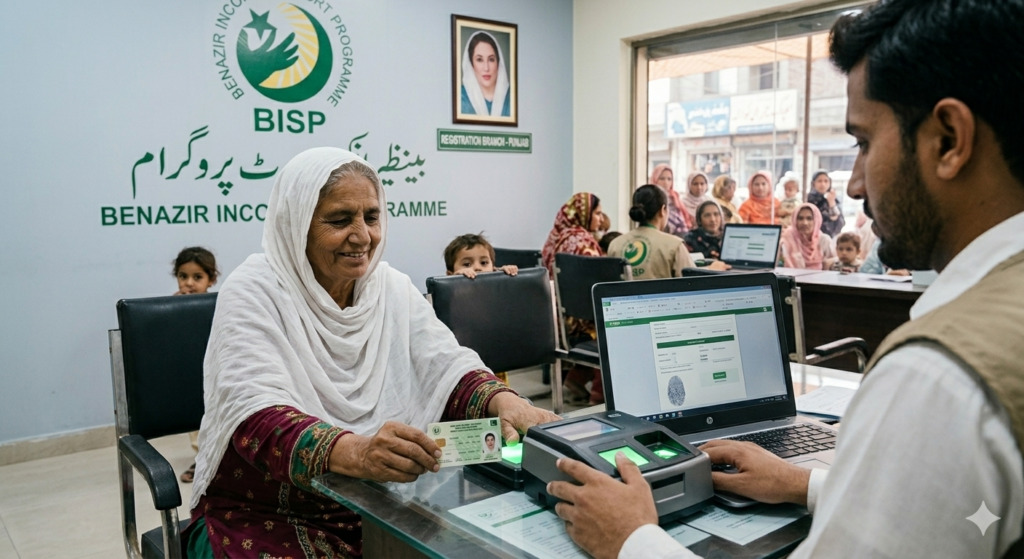
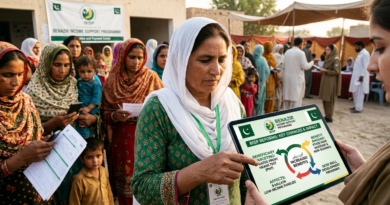
Every quarter, thousands of Benazir Income Support Programme (BISP) beneficiaries travel to a payment centre, sometimes crossing several union councils and spending money on transport they can barely afford, only to find out their payment isn’t ready, their record has a mismatch, or their status has changed since the last cycle. Checking your BISP payment status in advance takes less than two minutes from any mobile phone and saves you that wasted trip entirely. This guide from Quikzap covers every official way to do it: the 8171 SMS service, the BISP online portal, a visit to the tehsil office, and checking directly at the bank, plus exactly what each status result means and what to do about it.
What Is a BISP Payment Check, and Why Does It Matter?
A BISP payment check is simply confirming, before you try to collect it, that your Kafaalat quarterly installment has actually been released under your CNIC. Think of it like checking whether a parcel has arrived at the post office before heading across town for it. The parcel might still be in transit, mislabelled, or stuck at a sorting stage. BISP payments pass through several layers before they reach you: NADRA verifies your identity record, your PMT score and survey status get cross checked, and only then is the payment released to a disbursement partner such as HBL or a mobile wallet. A hold can happen at any one of these stages. Without checking first, you usually only find out something’s wrong once you’re already standing at the payment counter.
Skipping this check costs more than just inconvenience. Payment windows run for a limited period each quarter; the funds don’t sit there indefinitely waiting to be collected. Beneficiaries who miss the window, whether because they arrived too early, too late, or found their payment blocked with no idea how to fix it quickly, can lose that quarter’s disbursement altogether. Checking your status beforehand gives you time to deal with problems (an expired CNIC, a pending survey update, a biometric mismatch) while the window is still open, not after it’s closed.
How to Check Your BISP Payment Status
Method 1: SMS to 8171 (Fastest, No Internet Needed)
The 8171 SMS service is the easiest way to check your BISP status because it works on any handset, even a basic phone with very little credit. There’s nothing to download, no internet needed, and the reply usually arrives within 30 to 60 seconds.
- Open the SMS app on your phone.
- Type your 13 digit CNIC number exactly as it appears on your card, with no dashes, spaces, or extra text.
- Send it to 8171. This is the only official BISP number; any other number is unofficial.
- Wait for the automated reply, which confirms your eligibility, whether payment has been released, and what to do next if anything.
- Save the reply and bring it with you to the payment centre as reference.
Always send the CNIC of the female head of household, the registered beneficiary, not a spouse’s or another relative’s number. Sending the wrong CNIC gives you an irrelevant result and just creates confusion later. If the system is busy and nothing comes back within a few minutes, wait a bit and try again. The 8171 server does slow down during high traffic right after a new payment cycle opens.
What the SMS replies mean:
- “You are eligible. Payment is ready.” Head to your designated payment point with your valid CNIC.
- “Under Verification.” Your record is still being processed. Wait 48 to 72 hours and check again before visiting an office.
- “Survey Required / Please visit BISP Tehsil Office.” Your NSER dynamic survey data needs updating. Visit with your documents.
- “Record Not Found.” The CNIC may be entered incorrectly, expired, or simply not registered in the system. Double check the number and try again.
- “Ineligible.” Your current PMT score or household data puts you above the eligibility threshold. You’ll need to take action at the tehsil level.
Method 2: BISP Online Portal (8171.bisp.gov.pk)
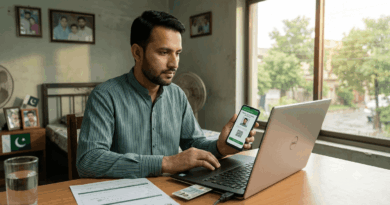
The official portal gives you more detail than the SMS reply, and you can use it from any smartphone, tablet, or computer with internet access. The relaunched version now shows your PMT score, payment readiness, and registration status all on one screen.
- Open a browser and go to 8171.bisp.gov.pk. This is the only government authorised URL; there are dozens of lookalike sites that have nothing to do with BISP.
- Find the CNIC field on the homepage.
- Enter your 13 digit CNIC (the registered female beneficiary’s number), without dashes.
- Complete the captcha. This step can’t be skipped.
- Click Submit or Check Status.
- Your eligibility result, PMT score, and current payment status will show up on the results page.
If the portal and the SMS disagree, trust the portal. It pulls data in real time, while the SMS service can lag by a few hours. It’s worth taking a screenshot or jotting down the result before you close the page.
Method 3: Visit a BISP Tehsil Office (For Cases You Can’t Resolve Online)
A tehsil office visit makes sense once SMS and the portal give you a status you can’t sort out digitally: a suspended account, a biometric mismatch, a “Record Not Found” result that won’t go away no matter how many times you retry, or a payment marked ready that still hasn’t shown up after the window opened. It’s also the only place to start a dynamic survey update or file a formal complaint about your eligibility assessment.
- Call the BISP helpline at 0800-26477 for the address of your nearest tehsil office, or use the office locator on bisp.gov.pk.
- Bring your original CNIC (not a photocopy), your children’s B-Forms, proof of residence such as a utility bill or union council letter, and any documents relevant to your household situation.
- Take a token at the office and wait for the registration counter.
- Explain your issue to the officer and ask for the right fix: a data correction, a survey update, or a formal complaint.
- Write down the reference number of any complaint you file. Data corrections typically take two to three weeks to resolve.
One thing worth knowing: many beneficiaries put off visiting the tehsil office because they assume it’ll be a bureaucratic nightmare. In reality, BISP runs separate objection redressal desks specifically for rejected applicants, away from the general registration queue. Going straight there instead of the regular line can save you a lot of time.
Method 4: Check at HBL or a Designated Bank / Payment Agent
If your status shows as ready and you just want to confirm the amount before collecting, HBL Konnect outlets, Bank Alfalah branches (in Azad Jammu and Kashmir and a few other regions), and authorised BISP payment agents can check your payment against your CNIC on the spot. This is especially useful if your mobile signal is weak or your SMS reply wasn’t clear.
- Visit the HBL branch or Konnect outlet mapped to your area. The 8171 helpline can tell you which one that is.
- Present your original, valid CNIC.
- Ask the counter staff for a payment status enquiry.
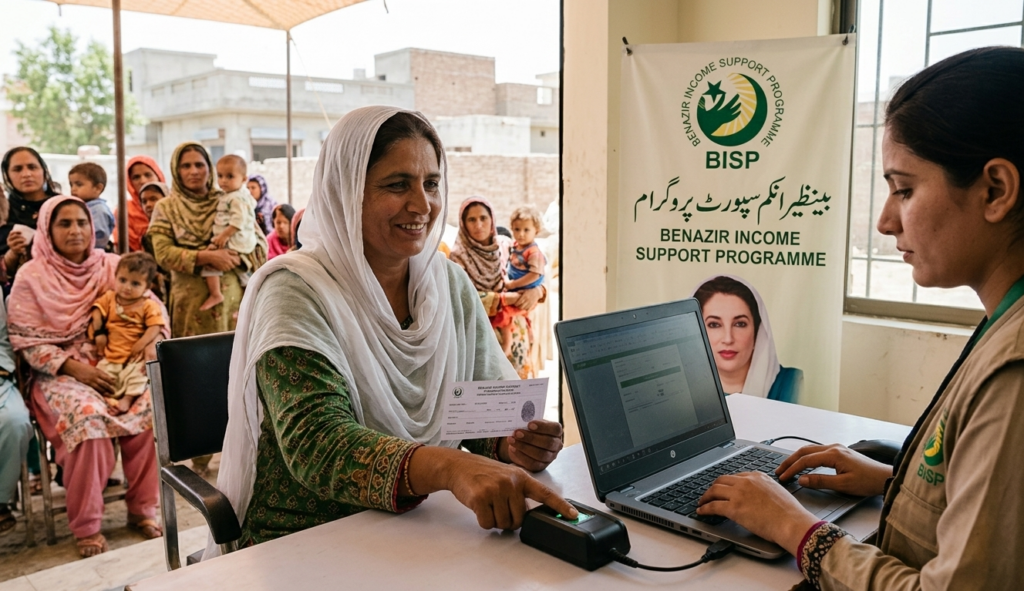
- If your payment is confirmed, you can collect it right away, though you’ll still need fingerprint verification at the ATM or counter.
- If your fingerprint won’t scan, ask about face verification instead. BISP introduced this for beneficiaries whose thumbprints don’t register well due to age or manual labour.
| Check Method | Device Needed | Result Speed | Best Suited For | Limitation |
|---|---|---|---|---|
| SMS to 8171 | Any mobile, no internet | 30 to 60 seconds | Rural beneficiaries, basic phone users | Less detail than the portal; can lag during high traffic |
| BISP Online Portal (8171.bisp.gov.pk) | Smartphone or computer with internet | Instant on submission | Urban users wanting PMT score detail | Needs internet access and a captcha |
| BISP Tehsil Office | None, in person | Same day, office hours only | Suspended accounts, survey updates, formal complaints | Requires travel; possible queue time |
| HBL / Bank Agent | None, in person | Immediate on presenting CNIC | Confirming payment amount before collection | Limited to banking hours; branch must be mapped to your CNIC |
Understanding Your Payment Status Results
Every BISP status check returns one of a handful of standard results. Here’s what each one really means and what it asks of you.
Eligible, Payment Ready
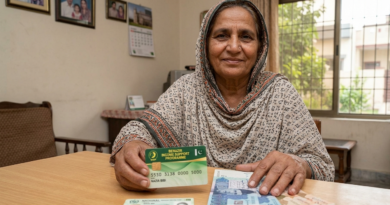
Your CNIC has cleared NADRA verification, your PMT score is within the current threshold, and your quarterly installment has been released to your designated channel. Head to your payment point with your original CNIC. At a biometric ATM, you don’t insert a card; just place your thumb on the scanner and follow the prompts. If a card is required, it’ll be your linked BISP smart card or bank card, depending on how you’re set up to receive payments.
Under Verification
Your data is still moving through BISP’s processing pipeline and hasn’t cleared yet. This is common for newly enrolled households, anyone who recently submitted a survey update, or beneficiaries whose NADRA record was flagged for a minor discrepancy. Wait 48 to 72 hours and recheck by SMS or portal; this usually clears on its own. If it’s still showing after a week, it’s time to visit a tehsil office.
Survey Required / Please Visit BISP Office
Your NSER survey data is missing, outdated, or doesn’t match current NADRA records. This shows up most often for households that haven’t gone through a dynamic registry update recently, or where something in the household has changed (a death, a new dependent, a move) without that being reflected in BISP’s records yet. No payment will release until the survey is updated, so a tehsil office visit with your CNIC and household documents is the next step.
Ineligible
Your PMT score is currently above the eligibility threshold, meaning your household falls above the poverty cut off based on your last survey. This isn’t necessarily permanent. If your situation has genuinely gotten worse since that survey (lower income, lost assets, a death in the family) you can request a fresh dynamic survey at the tehsil office. A lower score from the new assessment restores eligibility, but you have to actively request it; nothing changes if you just wait.
Record Not Found / CNIC Not Registered
Either the CNIC was entered wrong, the record hasn’t been indexed yet after a recent registration, or the household never completed the NSER survey in the first place. Double check the 13 digits; a single transposed digit will produce this result. If the number is correct, the household likely needs to enrol through the NSER survey before a status check means anything.
| Status Result | What’s Causing It | Can You Collect Now? | What to Do Next | Typical Resolution Time |
|---|---|---|---|---|
| Eligible, Payment Ready | All checks cleared; installment released | Yes, head to your payment point | Collect with CNIC and biometric verification | Immediate |
| Under Verification | Data still processing | Not yet | Recheck after 48 to 72 hours; visit a tehsil office if it lasts beyond 7 days | 2 to 7 days typically |
| Survey Required | NSER data missing or outdated | No | Visit a BISP tehsil office with CNIC, B-Forms, and proof of residence | 2 to 3 weeks after submitting the survey |
| Ineligible | PMT score above the active threshold | No | Request a dynamic survey update at the tehsil office if your circumstances have changed | 2 to 3 weeks after the re-survey |
| Suspended | Expired CNIC, biometric mismatch, or inactive household data | No | Renew your CNIC at NADRA, update your survey data, or request face verification if fingerprints fail | 1 to 3 weeks depending on the issue |
| Record Not Found | Incorrect CNIC entry, or not registered in NSER | No | Recheck the CNIC; if it’s correct, enrol in the NSER at the nearest BISP centre | Varies; immediate if it was just an entry error |
What to Do If Your Status Is Ready But You Haven’t Received Payment
A payment showing “ready” but not actually arriving usually comes down to one of three things: a biometric failure at the ATM or counter, a SIM card registered to someone other than the beneficiary (which affects mobile wallet payments), or a mismatch between you and your mapped bank branch, meaning you went to the wrong outlet for your CNIC. Start by confirming your disbursement channel through the 8171 portal, which now shows payment routing details for enrolled beneficiaries. If that channel checks out and the payment is still stuck, call the BISP helpline at 0800-26477 with your CNIC number ready. They’ll log the complaint and give you a reference number for follow up, and operators can flag biometric mismatch cases for face verification, which often avoids an unnecessary trip to the tehsil office for a simple fingerprint issue.
For anything the helpline can’t resolve (a payment block that won’t go away, a suspected data error, or a payment reportedly released but never received across more than one quarter) the tehsil office is the right place to escalate. Bring your original CNIC, any SMS replies from 8171, a utility bill for proof of address, and your helpline complaint reference number if you have one. BISP runs objection redressal desks at tehsil offices specifically for payment disputes, separate from the general registration queue. Corrections and re-surveys filed at this stage take roughly two to three weeks to show up in the system, so it’s worth acting early in the payment window rather than waiting until the last week.
Common Mistakes People Make When Checking BISP Status
Sending the Wrong CNIC to 8171
8171 only knows what you tell it; it has no way of knowing if you sent the wrong number. A lot of households end up texting the husband’s or son’s CNIC instead of the registered female beneficiary’s, then assume an “ineligible” reply applies to the whole household when it actually applies to someone who was never enrolled in the first place. Always confirm which family member’s CNIC is registered with BISP before texting 8171.
Using Fake Websites That Copy the 8171 Portal
There are dozens of websites with names designed to look like the official BISP portal, with slightly different spelling, extra words, or odd extensions. BISP has explicitly warned that none of these are affiliated with the programme. The only verified URL is 8171.bisp.gov.pk. Entering your CNIC anywhere else won’t give you a real result; it might just hand your personal details to people you never meant to share them with.
Checking Right When a Payment Cycle Opens
The 8171 server and the online portal both get hit hard the moment a new payment cycle is announced. Checking in the first few hours often gives you a delayed or unclear result, not because anything’s wrong with your account, but because millions of people are sending the same SMS at once. Waiting six to twelve hours after the announcement before checking tends to give you a more reliable result.
Assuming “Payment Ready” Means Any Branch Will Do
BISP maps every beneficiary’s CNIC to a specific disbursement channel, whether that’s a particular HBL branch, an authorised payment agent, or a mobile wallet. “Payment ready” doesn’t mean you can walk into any bank and collect it. Showing up at a branch you’re not mapped to will just get you a “record not found” at the counter, which a lot of people mistake for a system wide failure. Confirm your designated payment point through the portal or helpline before you travel.
Ignoring a “Suspended” Status and Hoping It Fixes Itself
A suspended status has three common causes: an expired CNIC, outdated survey data, or a biometric mismatch, and none of them fix themselves over time. You have to do something: renew your CNIC at NADRA, update your survey data at the tehsil office, or request face verification if your fingerprints aren’t working. Every quarter you spend waiting instead of acting is a missed payment.
Who Should Be Checking, and When
Checking your BISP status shouldn’t only happen when something’s already gone wrong. It works best as a routine step a few days before any planned collection trip, the same way you’d check your bank balance before heading to an ATM. Across Pakistan, this habit is slowly catching on, partly because mobile phones have made the SMS method accessible even in places where banking infrastructure is thin. A single text before leaving the house has become a small but genuinely useful piece of household financial planning for families whose time and transport money aren’t easy to spare.
- Active Kafaalat beneficiaries should check at the start of each quarterly window, before making any trip, to confirm the installment has actually been released.
- Recently enrolled households may find their first payment takes longer than expected while NADRA and NSER processing finish up.
- Beneficiaries who just renewed their CNIC should expect a short “under verification” period, since renewal triggers a re-verification in the system.
- Households that went through a dynamic survey update won’t see their new PMT score and status reflected immediately, and should recheck after two to three weeks.
- Widows and recently divorced women newly registered with BISP often move through verification quickly given their priority category, though their first cycle might not line up with the general payment calendar.
- Taleemi Wazaif recipients need to check their children’s education stipend status separately, since it runs on its own disbursement cycle apart from the core Kafaalat payment.
- Beneficiaries in rural areas where transport is expensive stand to gain the most from this habit. A five second SMS can save an entire wasted day of travel.
For quick calculations or reference lookups while you sort out your entitlements, Quikzap has tools and guides that can help you move faster.
Frequently Asked Questions
How do I check my BISP payment status by CNIC? Send your 13 digit CNIC (no dashes or spaces) by SMS to 8171. You’ll get an automated reply within about a minute showing your status. You can also go to 8171.bisp.gov.pk, enter your CNIC, complete the captcha, and submit.
What does “under verification” mean in the 8171 system? It means your data is still being processed and hasn’t cleared yet. Recheck after 48 to 72 hours, and if it’s still showing after a week, visit your nearest tehsil office with your CNIC and household documents.
Why does my status show eligible but I haven’t received any money? You may have gone to a payment outlet that isn’t mapped to your CNIC. BISP assigns each beneficiary to a specific HBL branch or payment agent, and an unmapped location won’t release the payment. Confirm your designated point through the 8171 helpline at 0800-26477.
Can I check my BISP status without internet? Yes. The 8171 SMS service works on any phone without internet. Just send your 13 digit CNIC to 8171 and the reply comes back within seconds.
What should I do if my status shows suspended? A suspended status usually comes from an expired CNIC, outdated survey data, or a biometric mismatch. Renew your CNIC at NADRA, update your survey data at the tehsil office, or request face verification if your fingerprints aren’t scanning.
How often should I check my BISP payment status? Check at the start of each quarterly cycle, once the disbursement window is announced, before you travel anywhere. Checking earlier than that usually won’t tell you anything, since payments only release once the window opens.
A Note Before You Go
Everything above is meant to give you a practical, accurate starting point for checking your BISP payment status, but it’s a guide, not a replacement for the people who actually run the programme. If you’re dealing with a persistently blocked account, a dispute over your PMT score, or a payment that hasn’t shown up for more than one quarter, the tehsil office and the official helpline are where that needs to go. The staff there deal with exactly this every day. What this guide can do is make sure you walk into that conversation, or send that text, already knowing what to do and why.